42 Quantum
In development

AI Interface Guide

Project name: Qbit

Qbit demo

Say hi to Qbit

This is a demo of Qbit, running right on this page. Tap him in the corner and he'll give you a quick tour, or drag him somewhere else. The full Qbit lives inside HHG, where he can also answer questions. This demo can't. It just shows you around.

His 11 faces · click one

01The research goal

The research goal: can an assistant that lives inside a web page feel alive and useful without calling an AI model every few seconds? Everyone remembers the animated helper that popped up uninvited and understood nothing. The idea was not wrong. The technology did not exist, and the naive version today would cost a fortune in inference.

What we are trying to learn is how far deterministic code and pattern rules can carry the experience before a model is needed at all. The target is three to five AI calls per hour of active use, not three to five per minute.

02How it works

Intelligence is layered in three tiers. Tier zero is pure code: the character's movement, its expression state machine, page scanning, and pathfinding between elements, running at zero cost. Tier one is a rules engine: a dozen recognized page patterns such as login, search, and settings, each with scripted guidance. Tier two is a small local model through Ollama, rate limited and cached, used only when the rules cannot answer or the user asks a direct question.

It ships as a Chrome extension that injects into any page, reads the page's structure, highlights the element it is talking about, and physically moves to it. Built standalone first, designed to plug into the production suite later.

In action

What it looks like running

Captured from a working install. Hover a numbered callout, or tab to it, to read what that part of the screen does.

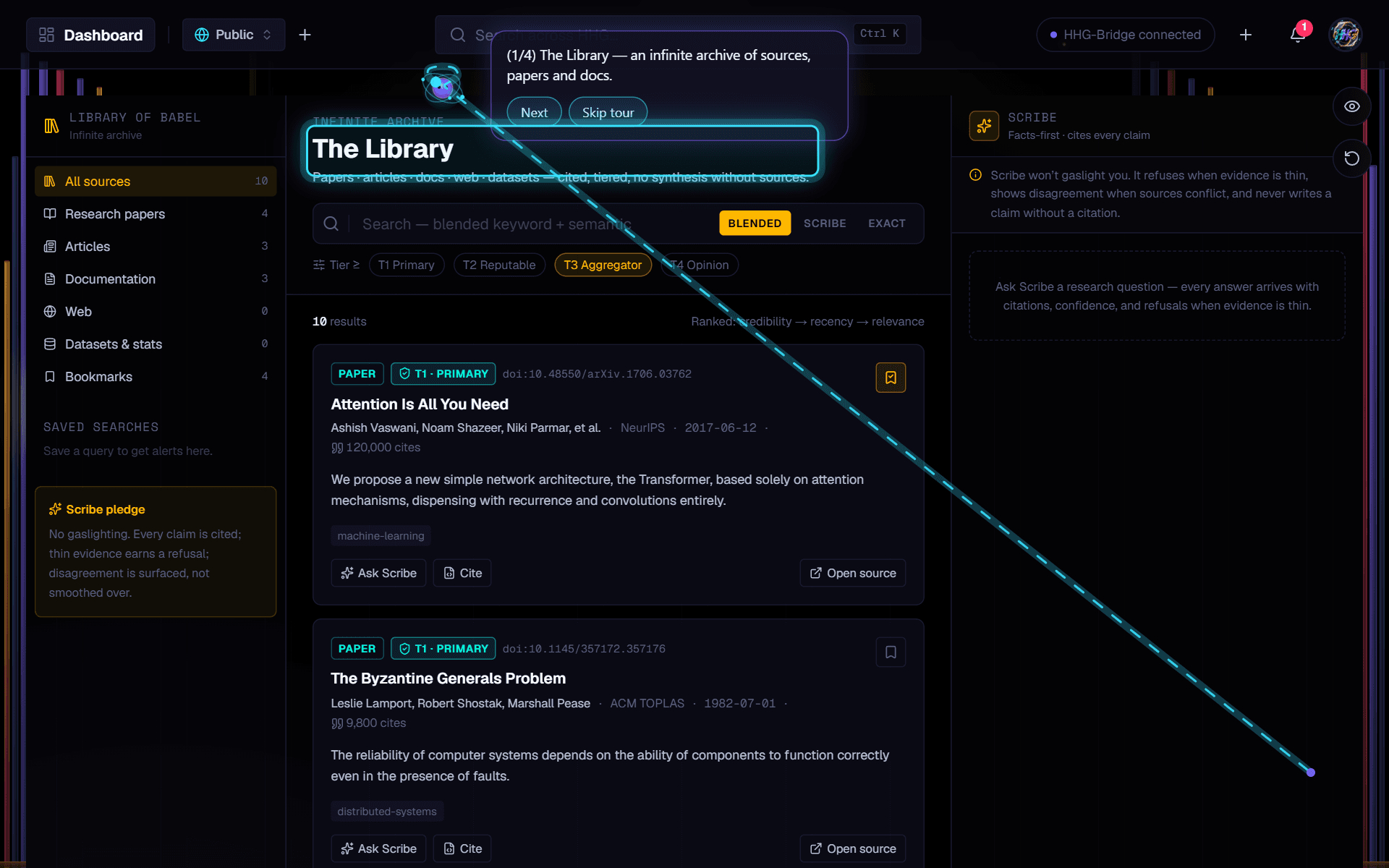
HHG · Library · Guided tour

Qbit giving the Library's tour inside HHG. He has flown from his corner to the page heading and left a dotted trail. The heading is highlighted, and his bubble shows step 1 of 4 with Next and Skip buttons.
Qbit giving a tour in HHG. He flies over to whatever he's explaining, highlights it, and goes one step at a time.

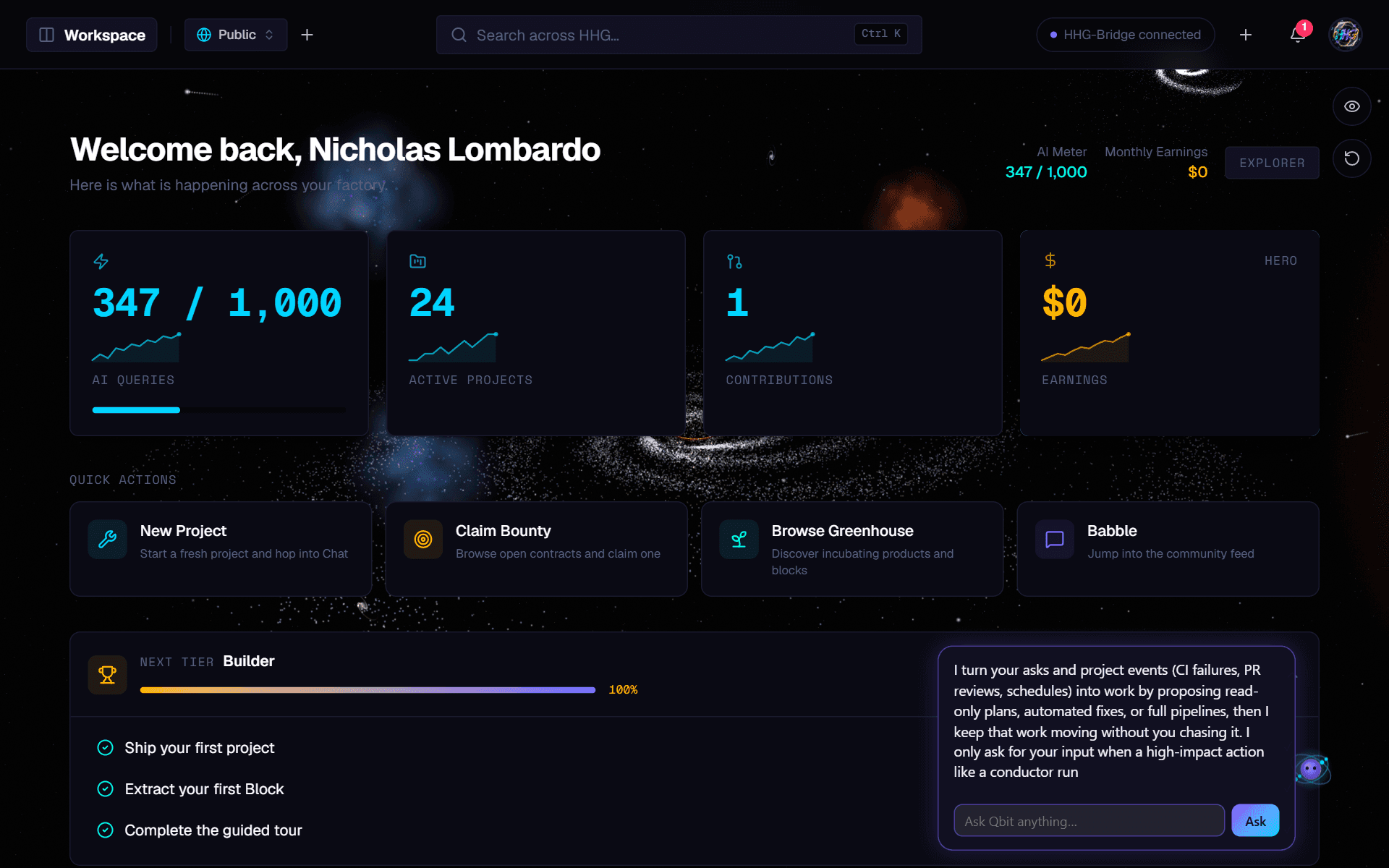
HHG · Talking to Qbit

HHG's overview page with Qbit in the bottom corner and his chat bubble open. The bubble holds a two-sentence answer about what he can do, and a box to ask him something.
Tap Qbit on any page in HHG and ask him something. Simple requests happen right away. Anything else goes to the coordinator, and the answer shows up in his bubble.

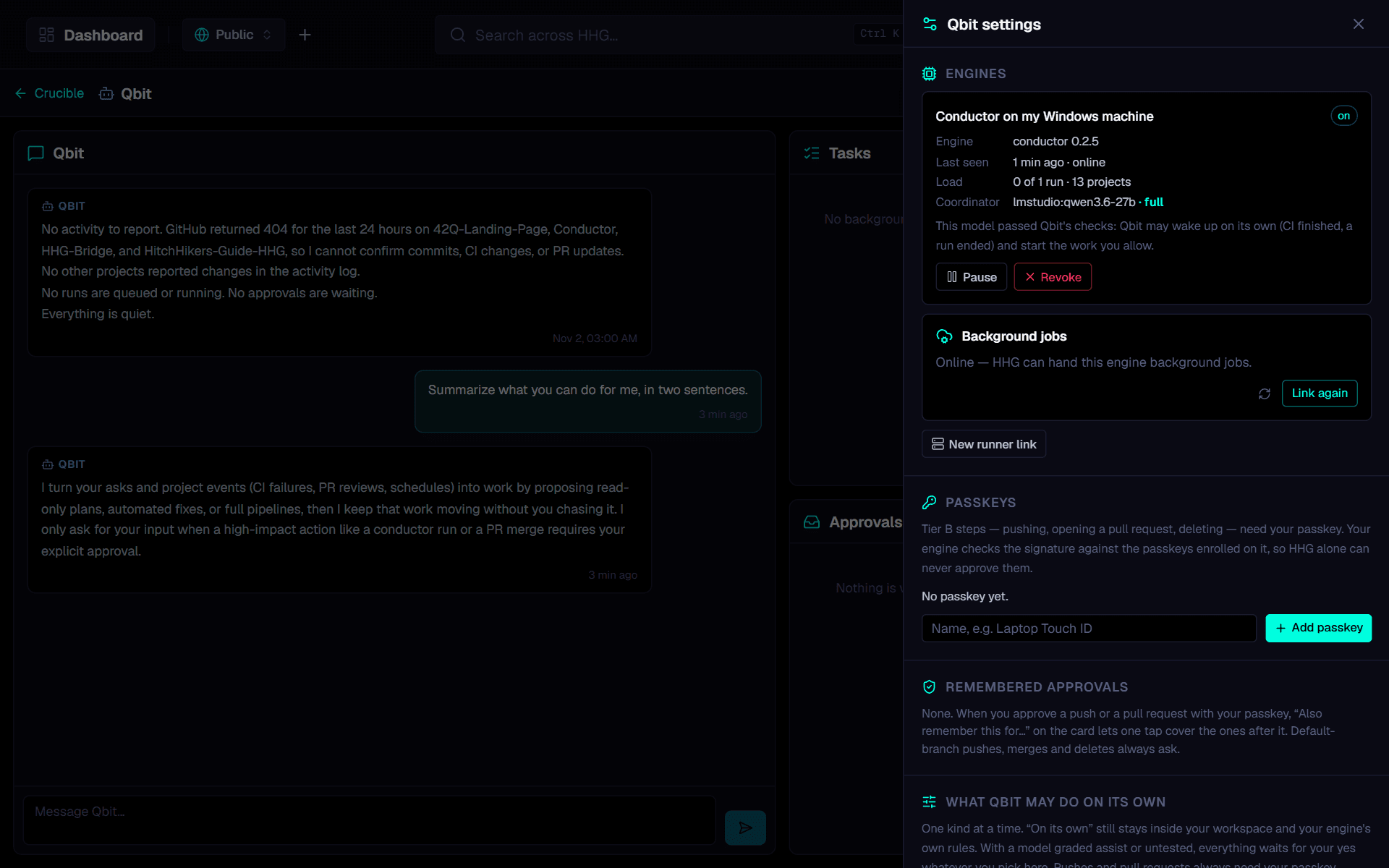
HHG · Qbit coordinator · Settings

The Qbit coordinator page in HHG with its settings open. The conversation is on the left. On the right are the connected engine, passkeys, remembered approvals, and the settings for what Qbit can do on his own.
The coordinator is where Qbit's work happens. It shows the whole conversation, what he's working on, and what he's allowed to do without asking.

What the lab built

  • Live DOM structure parsing so the guide knows what is on screen
  • Spatial awareness, responses anchored to the element the user is working in
  • Animated presence layer that stays out of the way until it is useful
Lines of code
17,178Lines of code
Commits
21Commits
Files
167Files
Building since
Jul 2026Building since
  • TypeScript
  • React
  • Canvas
  • Framer Motion

At a glance

How the system flows

  1. 01

    Inject

    The extension loads on any page

  2. 02

    Scan

    Reads the page structure

  3. 03

    Match

    Rules recognize the page type

  4. 04

    Escalate

    Local AI, only when the rules cannot answer

  5. 05

    Guide

    Moves to the element and shows the way